
Download FILEminimizer Office – Compress PowerPoint, Word & Excel Files Securely
FILEminimizer Office is a powerful and user-friendly software designed to shrink PowerPoint, Word, and Excel files without altering their original format. Whether you're sending large documents via email or storing files efficiently, this tool ensures your files remain fully compatible with Microsoft Office. Unlike other compression tools that convert files to different formats or require manual extraction, FILEminimizer Office preserves the original file extension and structure.
This makes it ideal for professionals, students, and businesses who need to reduce file sizes quickly and safely. With support for DOCX, XLSX, and PPTX formats, the software leverages intelligent compression algorithms to reduce file sizes by up to 98%, primarily by optimizing embedded images and objects. Its intuitive interface includes three main functions: Optimize, Pack & Go, and Search Files.
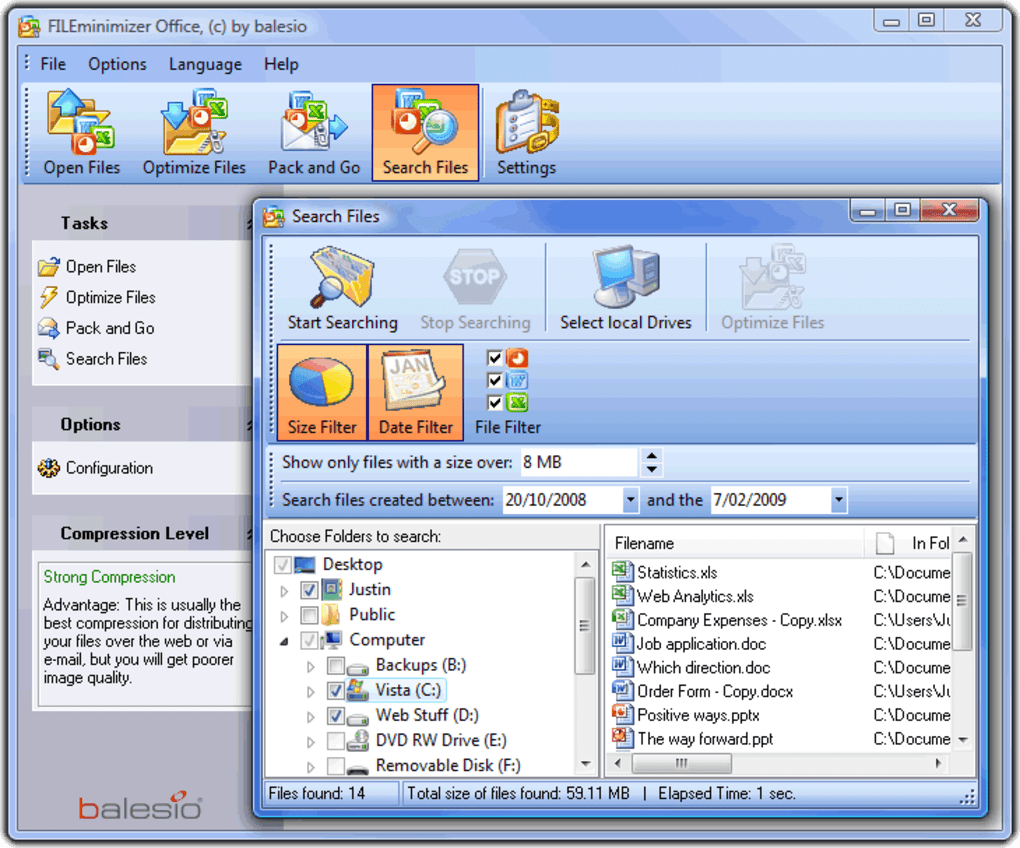
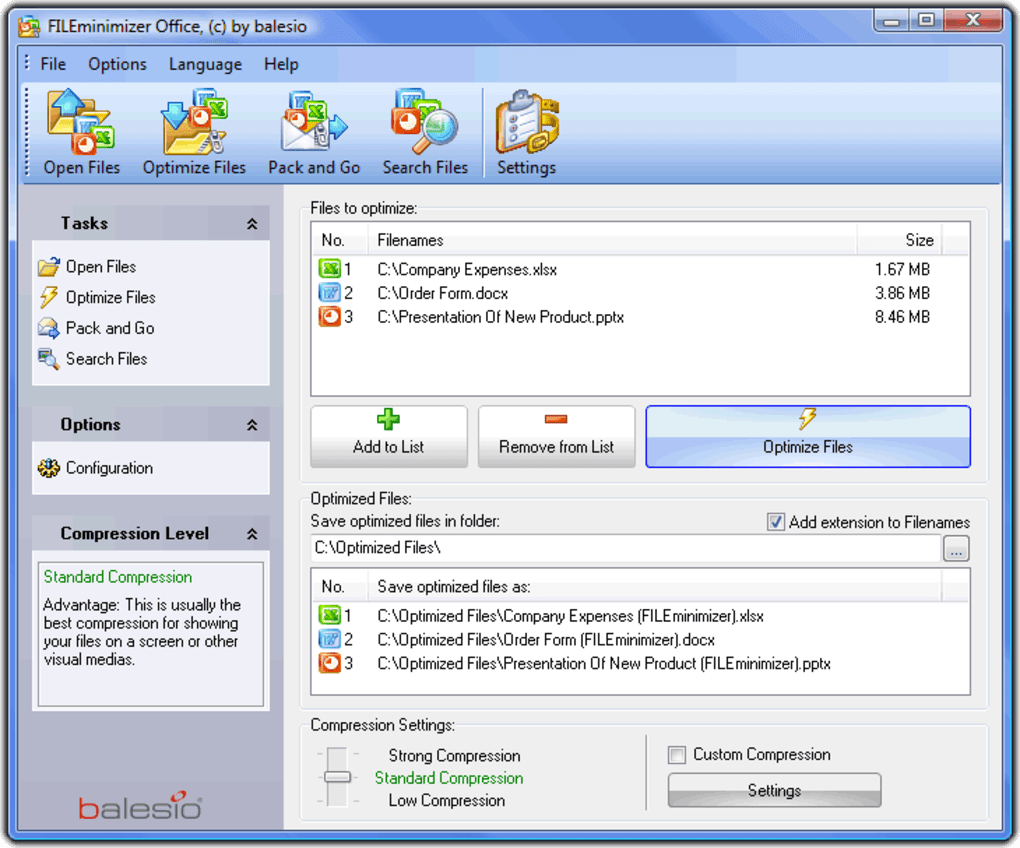
The Optimize feature reduces file size to the minimum, Pack & Go allows you to send compressed files directly via email with customizable options, and the Search Wizard helps locate all Office files on your PC or network. The software also integrates with Outlook and Lotus Notes, enabling automatic compression of email attachments. All compressed files are saved as new versions with “Fileminimizer” appended to the filename, ensuring your original files remain untouched.
This makes FILEminimizer Office a secure, reliable, and efficient solution for anyone dealing with large Office documents.
Key Features of FILEminimizer Office
FILEminimizer Office stands out in the crowded field of file compression tools thanks to its smart, format-preserving compression technology. One of the most notable features is its ability to shrink PowerPoint, Word, and Excel files by up to 98% without changing the file extension or requiring any manual conversion. This means you can continue using your documents in their original format—DOCX, XLSX, or PPTX—without compatibility issues. The software intelligently compresses embedded images, charts, and other objects, which are often the main contributors to large file sizes. This is especially useful for professionals who share detailed reports, presentations, or spreadsheets that contain high-resolution visuals.
Another standout feature is the Pack & Go functionality, which streamlines the process of sending large files via email. Instead of manually compressing files or using ZIP tools, you can compress and send documents directly from within Outlook or Lotus Notes. The software even allows you to customize email settings, such as adding a message or selecting a recipient, making it ideal for remote teams and frequent email users. The Search Wizard is another powerful tool that scans your computer and network drives to locate all Office files, helping you organize and manage your documents efficiently. Whether you're looking for a specific presentation or want to clean up old files, this feature saves time and improves productivity.
For users who work across multiple platforms, FILEminimizer Office supports both Windows and Mac operating systems, ensuring broad accessibility. It also includes a lightweight interface that doesn’t slow down your system, making it suitable for both high-end and mid-range machines. The software runs in the background and processes files quickly, often reducing a 50MB PowerPoint file to under 5MB in seconds. With automatic backup of original files and a clean, non-invasive workflow, FILEminimizer Office delivers a seamless experience. Whether you're a student sending a thesis, a marketer sharing a campaign deck, or an accountant sending financial reports, this tool simplifies the entire process.
How to Install and Use FILEminimizer Office
Installing FILEminimizer Office is a straightforward process that takes just a few minutes. Begin by visiting the official website and downloading the free trial version for Windows or Mac. The installer is lightweight and does not require administrator rights on most systems, making it accessible even in restricted work environments. Once downloaded, run the installer and follow the on-screen prompts. The setup wizard guides you through the installation steps, including selecting the installation directory and choosing whether to create desktop shortcuts.
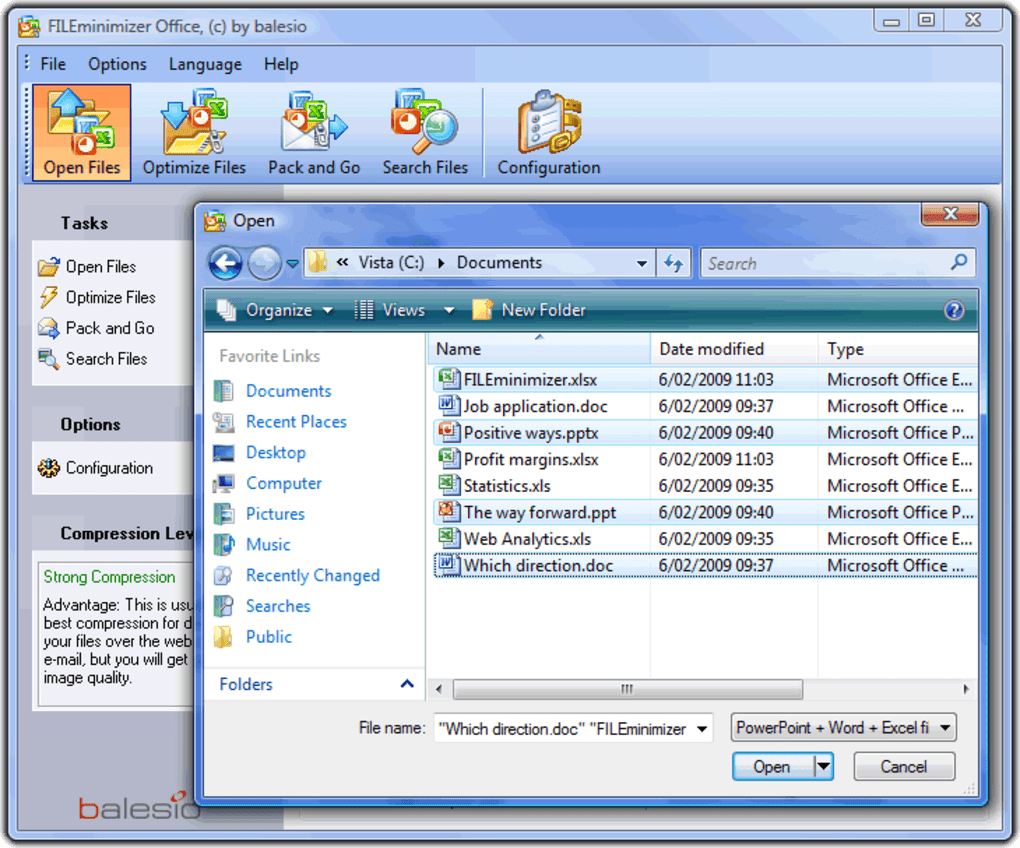
After installation, launch the application. The main interface is clean and intuitive, featuring three primary options at the top: Optimize, Pack & Go, and Search Files. To compress a file, simply click Optimize, then browse and select your DOCX, XLSX, or PPTX file.
The software will analyze the document and begin compressing it, focusing on embedded images and objects. Once complete, a new file is created with “Fileminimizer” added to the filename (e.g., Report.docx becomes Report_Fileminimizer.docx). This ensures your original file remains untouched and safe.
For email users, the Pack & Go feature is particularly useful. After selecting a file, choose this option and link it to your Outlook or Lotus Notes account. The software will automatically compress the file and open a new email draft with the optimized attachment.
You can customize the email message, add recipients, and send it immediately. The Search Files tool allows you to scan your entire system or network for Office documents, making it easy to locate and compress files you may have forgotten about. The entire process is secure and does not require internet access, ensuring your data stays private.
With minimal learning curve and fast processing times, FILEminimizer Office is ideal for users of all technical levels.
Compatibility and System Requirements
FILEminimizer Office is designed to work seamlessly across multiple platforms, making it a versatile choice for both individual users and businesses. It supports Windows 7 and later, including Windows 10 and Windows 11, ensuring compatibility with modern desktop and laptop systems. For Mac users, the software is fully compatible with macOS 10.13 (High Sierra) and later, including the latest Apple Silicon (M1/M2) chips. This cross-platform support means you can use the same tool whether you're on a Windows PC at work or a Mac at home.
The software is compatible with all major versions of Microsoft Office, including Office 2010, 2013, 2016, 2019, and Microsoft 365. This ensures that you can compress DOCX, XLSX, and PPTX files without worrying about format incompatibility. It also integrates with popular email clients such as Microsoft Outlook and Lotus Notes, allowing you to compress attachments directly from your inbox. The integration works automatically, so you don’t need to manually open the software—just click “Send” and the file is optimized on the fly.
System requirements are modest, making it suitable for a wide range of devices. You’ll need at least 512 MB of RAM and 100 MB of free disk space, though 1 GB RAM is recommended for optimal performance. The software does not require a constant internet connection, which enhances security and privacy.
It runs efficiently in the background, using minimal CPU and memory resources. Whether you're working on a low-end laptop or a high-performance workstation, FILEminimizer Office adapts smoothly. Its lightweight footprint ensures it won’t slow down your system, even when processing multiple large files.
With broad compatibility and low system demands, this tool is accessible to users across different industries and technical skill levels.
Pros and Cons of FILEminimizer Office
- Pros:
- Reduces file size by up to 98% without changing format
- Preserves original file extension and structure
- Creates new files with “Fileminimizer” suffix—originals remain untouched
- Fast and efficient compression with minimal system impact
- Integrates with Outlook and Lotus Notes for automatic email compression
- Includes Search Wizard to locate Office files across PC and network
- Supports Windows and Mac platforms
- Secure and offline operation—no data upload required
- Cons:
- Free trial version has limited functionality
- No native mobile app for Android or iOS (only desktop)
- Advanced features require a paid license
- Some users report minor delays with extremely large files
- Interface is simple but may lack advanced customization options
Frequently Asked Questions (FAQ)
-
Can I compress PowerPoint, Word, and Excel files without changing their format?
Yes, FILEminimizer Office compresses DOCX, XLSX, and PPTX files while preserving their original format and file extension. No conversion or unzipping is required, ensuring full compatibility with Microsoft Office.
-
Does FILEminimizer Office work with Outlook and Lotus Notes?
Yes, the software includes add-ins for Microsoft Outlook and Lotus Notes, allowing you to compress email attachments automatically before sending.
-
Is my data safe when using FILEminimizer Office?
Absolutely. The software operates offline and does not upload your files to any server. Original files are never modified, and compressed versions are saved as new files.
-
Can I search for Office files across my network?
Yes, the Search Wizard feature scans your local PC and network drives to locate all PowerPoint, Word, and Excel files, helping you manage and compress them efficiently.
-
Is there a mobile version for Android or iOS?
Currently, FILEminimizer Office is only available for Windows and Mac desktop systems. There is no native app for Android or iOS, but you can use it on a desktop and transfer files to mobile devices.
Final Verdict and Call to Action
FILEminimizer Office is a must-have tool for anyone who regularly deals with large Office documents. Its ability to shrink files by up to 98% while maintaining original formats makes it a standout in the world of file compression software. Whether you're sending a 100MB presentation via email or archiving reports, this tool ensures faster transfers, reduced storage needs, and improved security—all without sacrificing compatibility.
The intuitive interface, fast processing speed, and seamless integration with Outlook and Lotus Notes make it ideal for both beginners and professionals. While the free trial has limitations, the full version offers excellent value for individuals and businesses alike. If you're tired of bulky files and unreliable compression tools, it’s time to try FILEminimizer Office.
Download FILEminimizer Office today and start compressing your documents securely and efficiently!







